AI Voice Agents for Businesses: How to Automate Customer Calls and Improve Support
Discover how AI voice agents help businesses automate customer calls, handle routine enquiries, qualify leads and improve customer…
Read article
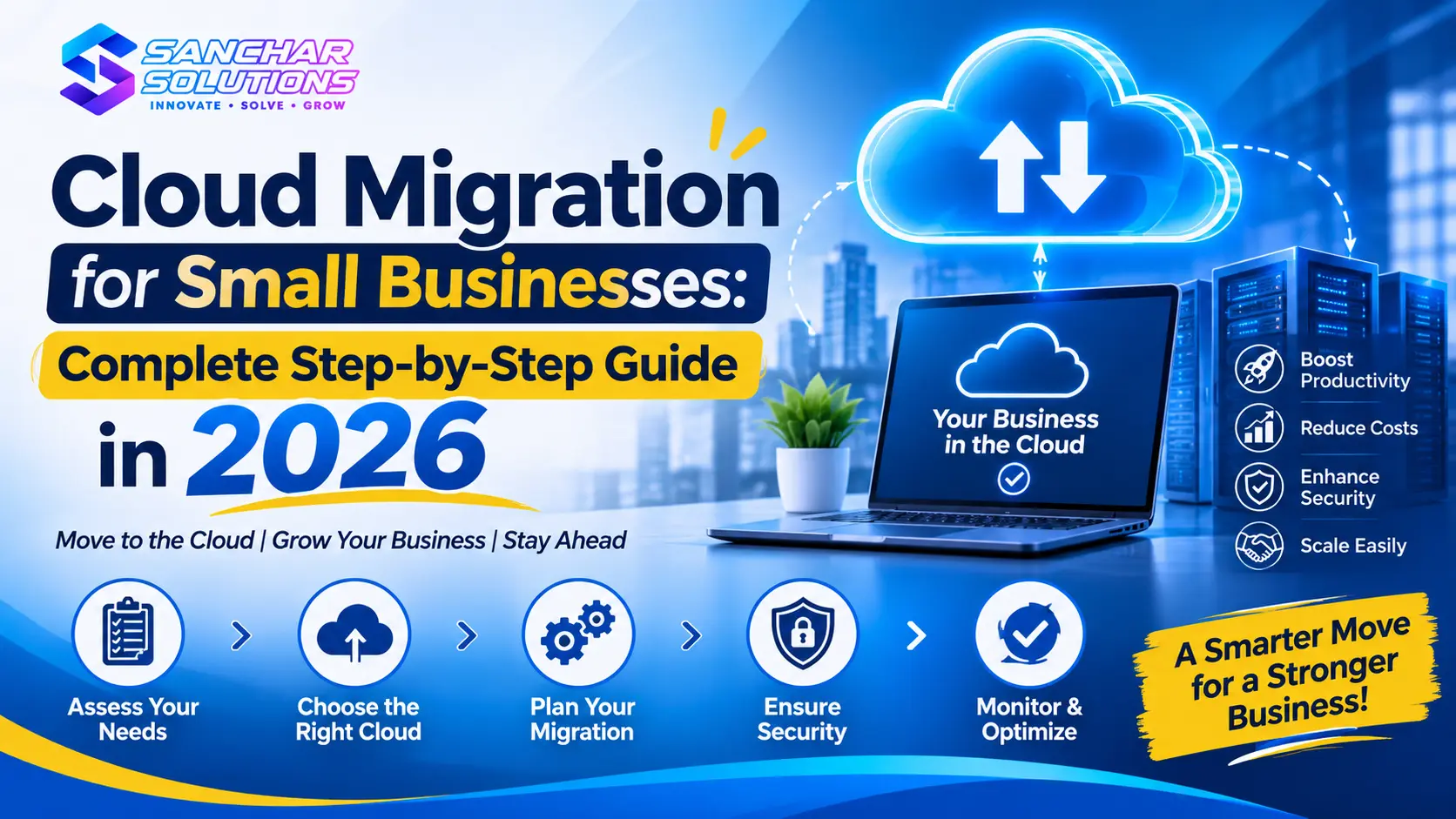
Moving your business to the cloud is no longer something only large companies do. In 2026, thousands of small businesses with just 5 to 50 employees are shifting their applications, data, and IT systems to the cloud. The reason is simple — it saves money, improves flexibility, and reduces the daily headaches of managing physical servers.
If your business is still running on old local servers, desktop software, or scattered hard drives, you are probably facing issues like limited remote access, slow performance, high maintenance costs, and weak backup systems. A well-planned cloud migration can solve most of these problems. But migrating without a clear plan can create new ones.
This complete guide will walk you through everything a small business owner needs to know about cloud migration in 2026 — from the first assessment to post-migration optimization. The goal is to help you move safely, cost-effectively, and without major disruption to your daily work.
The cloud is no longer just about storing files online. Today it offers computing power, software, security tools, and backup systems that used to be available only to big enterprises.
Here are the real benefits small businesses usually experience after a successful migration:
At Sanchar Solutions, we have seen many small businesses reduce their IT overhead while improving reliability after moving to the cloud. The difference usually comes from proper planning rather than just “moving to the cloud.”
Start by understanding exactly what you have today. Make a simple list of:
This assessment prevents you from buying more cloud resources than you need or missing critical systems during migration.
There are three main options:
Most small businesses do well with public cloud or a simple hybrid setup. You can learn more about suitable options on our Cloud Solutions page.
Popular platforms in 2026 include:
While comparing, look beyond the monthly price. Check customer support quality, data centre locations (important for speed and compliance), ease of management, and available security features.
A good plan should answer these questions:
Never try to move everything in one go. A phased approach is almost always safer and less stressful for small teams.
Before migration, remove old files, duplicate data, and unused applications. Clean data means faster migration, lower storage costs, and fewer problems later.
Also decide the migration method for each application:
This stage often benefits from experienced support. Our Digital Engineering & IT Services team regularly helps businesses make these technical decisions correctly.
Begin with less critical systems such as file storage or internal tools. Once those are stable, move core business applications like CRM, accounting software, or inventory systems.
During the process, monitor:
Keep communication open with your team so everyone knows what is happening and when.
Moving to the cloud does not automatically make you secure. You still need to configure:
Many small businesses underestimate this step. Combining cloud migration with proper Cyber Security practices significantly reduces future risks.
After everything is running, the work is not finished. You should:
Small businesses that do not have a full-time IT person often use DevOps support or Managed IT Services to handle ongoing monitoring and maintenance.
Avoid these frequent errors:
Learning from these common mistakes can save both money and stress.
Costs vary widely depending on:
While the initial migration has a cost, most small businesses find that their total IT expenses become more predictable and often lower within 12–24 months compared to running and maintaining physical servers.
1. How long does cloud migration usually take for a small business?
Simple migrations can finish in 2 to 4 weeks. More complex environments with multiple applications may take 6 to 12 weeks. A proper discovery call gives a realistic timeline.
2. Will my business face downtime during the migration?
With careful planning, downtime can be limited to a few hours or even avoided for critical systems by using phased or parallel-run methods.
3. Is the cloud really safe for small businesses?
Yes, when it is configured correctly. Major cloud providers invest heavily in security. In many cases, a properly set up cloud environment is more secure than a typical small office server.
4. Can I move only some systems and keep others on local servers?
Yes. Many businesses start with a hybrid approach and gradually move more systems as they become comfortable.
5. Do I need a full-time IT person after moving to the cloud?
Not always. Many small businesses manage with existing staff plus external support through Managed IT Services when needed.
6. What if something goes wrong during migration?
A professional migration plan always includes a rollback strategy so you can return to the previous setup if required.
7. Should small businesses in India consider data residency?
Yes. Depending on your industry and the type of data, you may prefer cloud regions located in India for compliance and performance reasons.
Our team of developers, SEO specialists and marketers has delivered 350+ projects for clients in 10+ countries. We write about what we practise every day.
Discover how AI voice agents help businesses automate customer calls, handle routine enquiries, qualify leads and improve customer…
Read articleWhatsApp Business API pricing depends on the message type and the recipient's country. Compare 2026 rates in USD, see how billing works…
Read articleERP software and accounting software serve different purposes for growing businesses. While accounting software focuses on financial…
Read articleShare your requirements and get a free consultation, timeline and fixed-price quote within 24 hours.