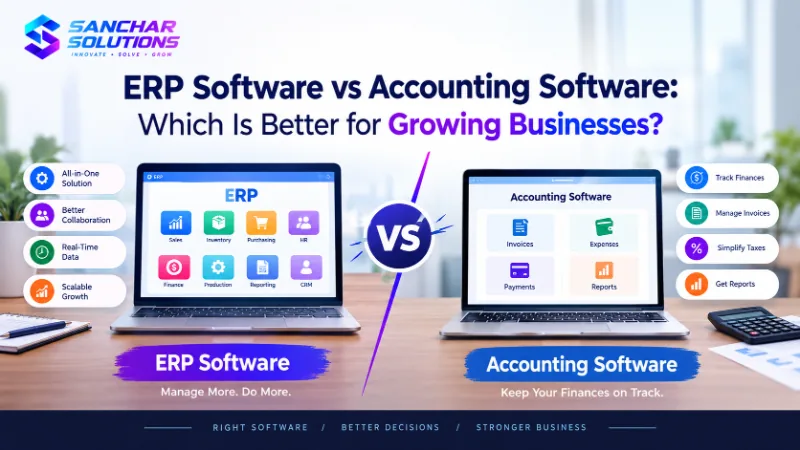
ERP Software vs Accounting Software: Which Is Better for Growing Businesses?
ERP software and accounting software serve different purposes for growing businesses. While accounting software focuses on financial…
Read article
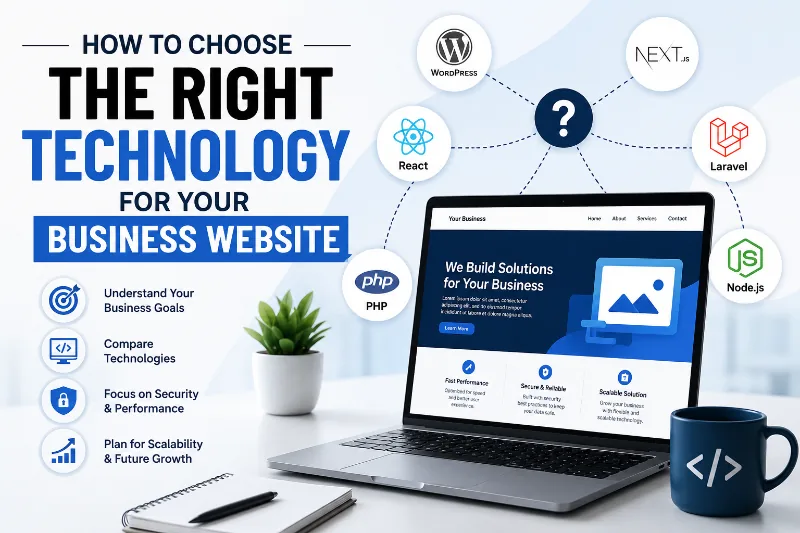
Choosing the right technology for your business website is one of the most important decisions you can make when building your online presence. Your website is often the first interaction potential customers have with your business, so it needs to be fast, secure, easy to use, scalable, and capable of supporting your business goals.
With so many technologies available today—from WordPress and traditional CMS platforms to modern frameworks such as React, Next.js, Laravel, and other custom development solutions—it can be difficult to know which option is right for your business.
The good news is that you do not necessarily need the most advanced or expensive technology. You need the right technology for your specific requirements, budget, audience, and future plans.
In this guide, we will explain the key factors to consider when choosing website technology and help you make a more informed decision.
Website technology determines how your website is built, managed, maintained, and expanded over time. It can affect everything from website speed and security to search engine optimization and development costs.
For example, a small business that needs a simple informational website may not need a complex custom application. On the other hand, an e-commerce company with thousands of products and integrations may require a more powerful and scalable solution.
The right technology can help you:
Choosing the wrong technology, however, can result in slow performance, difficult maintenance, security issues, expensive development, and limitations when you want to add new features.
Before selecting a programming language, framework, CMS, or hosting platform, define what you want your website to accomplish.
Ask yourself questions such as:
Your answers will help determine the type of technology you need.
For example, a local service business may only need a fast, mobile-friendly website with contact forms, service pages, location information, and a blog. A large online marketplace may require a highly customized architecture with databases, APIs, payment systems, user authentication, and advanced search functionality.
Business requirements should come before technology selection.
Different types of websites have different technical requirements.
A typical corporate or business website usually includes:
For these websites, a CMS such as WordPress can often be an effective option because it makes content management relatively simple.
E-commerce websites require more functionality, including:
Depending on the size and complexity of your store, you might choose a hosted e-commerce platform, a CMS with an e-commerce solution, or a custom application.
If your website functions more like software—for example, a booking platform, customer portal, SaaS product, or online dashboard—you may need custom development using technologies such as React, Next.js, Laravel, Node.js, or other frameworks.
The key is to match the technology with the complexity of the project.
One of the biggest decisions is whether to use a content management system (CMS) or build the website from scratch.
A CMS allows you to create, edit, organize, and publish website content without needing to modify the underlying code every time.
Popular CMS options include WordPress, Drupal, and other specialized platforms.
A CMS can be a good choice if:
Custom development means building functionality specifically for your business requirements.
It can be beneficial when you need:
Custom development can provide flexibility, but it may require a larger initial investment and ongoing developer support.
The right choice depends on your business rather than simply choosing the technology that is currently trending.
Website speed is critical for both users and search engines.
A slow website can frustrate visitors and increase the likelihood that they leave before taking action. Performance can also influence your overall search visibility and conversion rates.
When evaluating technology, consider:
Modern frameworks can provide excellent performance when implemented correctly, but technology alone does not guarantee a fast website.
A poorly optimized website can be slow regardless of whether it uses a modern framework or a popular CMS.
A large percentage of website visitors access websites using smartphones and tablets.
Therefore, your website technology should support responsive design and provide a consistent experience across:
Your website should be easy to navigate on smaller screens, buttons should be easy to tap, text should remain readable, and important information should not be hidden or difficult to access.
When choosing a development approach, make sure mobile performance is considered from the beginning rather than treated as an afterthought.
Search engine optimization should be considered when selecting website technology.
Your platform should make it possible to optimize important SEO elements such as:
A technically advanced website is not automatically SEO-friendly. The development team must implement the technology correctly and ensure search engines can efficiently crawl and understand the website.
If organic traffic is an important part of your marketing strategy, discuss SEO requirements with your developer before development begins.
Website security should never be ignored, especially if your website handles customer information, payments, accounts, or other sensitive data.
When choosing website technology, consider:
Using a popular platform can provide access to a large ecosystem of security tools and developers, but it still needs to be properly configured and maintained.
Security is an ongoing process, not a one-time development task.
Your website may be small today, but your business could grow significantly in the future.
Suppose you currently receive 1,000 visitors per month but expect to receive 100,000 visitors in the future. Your technology should be capable of supporting that growth without requiring you to completely rebuild the website.
Ask:
Scalability is particularly important for e-commerce businesses, SaaS companies, marketplaces, and businesses expecting rapid growth.
The initial development price is only part of the total cost of owning a website.
You should also consider:
A technology that appears inexpensive initially could become costly if it requires frequent maintenance or expensive specialist developers.
Similarly, a more expensive solution can sometimes provide better long-term value if it reduces maintenance and supports business growth.
Think about total cost of ownership, not just the initial development quote.
Technology is only useful if you can find people who know how to work with it.
Before choosing a platform or framework, consider the availability of:
Widely adopted technologies often have large communities and extensive documentation, which can make troubleshooting and hiring easier.
If your website depends on a technology that only a small number of specialists understand, finding affordable support could become difficult later.
Modern business websites rarely operate completely independently.
Your website may need to connect with:
Before selecting your technology, identify the integrations your business currently needs and those you may need in the future.
A technology that supports APIs and established integration methods can make it easier to connect your website with other business systems.
Technology trends change quickly.
A framework may be extremely popular today, but that does not necessarily mean it is the best choice for your website.
Instead of asking:
"What is the latest website technology?"
ask:
"Which technology best solves our business problem?"
The best technology is the one that provides the right balance of performance, functionality, security, scalability, development time, and cost.
A simple website does not need unnecessary complexity simply to use the latest framework.
There is no universal winner, but understanding the general strengths of different approaches can help.
WordPress is widely used for business websites, blogs, publishing platforms, and many e-commerce websites.
It can be a good option when you need:
React is a JavaScript library commonly used to build interactive user interfaces.
It can be useful for:
Next.js is a React-based framework that supports different rendering and application-development approaches.
It can be useful for businesses that need:
Laravel is a PHP framework designed for web application development.
It can be a strong option for:
Node.js allows JavaScript to be used for server-side development.
It can be useful when building:
The right choice depends on your project's specific requirements rather than the popularity of a particular technology.
Technology selection becomes much easier when you work with experienced developers.
A good development team should first understand your business and then recommend an appropriate technology stack.
They should be able to explain:
Be cautious if a developer recommends a technology without first asking about your business objectives and requirements.
Before making your final decision, create a simple checklist.
Your chosen technology should ideally meet your requirements for:
Functionality: Does it support everything your website needs?
Performance: Can it deliver fast and reliable experiences?
Security: Can it be properly secured and maintained?
Scalability: Can it grow with your business?
SEO: Can your team optimize the website effectively?
Content Management: Can your staff update content easily?
Integrations: Can it connect with your existing business tools?
Budget: Does it fit both your initial and long-term budget?
Maintenance: Can you find reliable support?
Future Development: Can new features be added without rebuilding everything?
If a technology meets these requirements, it is likely worth considering.
Choosing the right technology for your business website is not about selecting the newest or most complicated solution. It is about choosing a technology that aligns with your business goals, website requirements, budget, audience, and future growth.
Start by understanding what your website needs to accomplish. Then consider factors such as performance, mobile responsiveness, SEO, security, scalability, integrations, maintenance, and total cost of ownership.
For a straightforward content-driven business website, a CMS may be an excellent choice. For a highly customized web application, a modern development framework may be more appropriate. In some cases, a combination of technologies may provide the best solution.
Most importantly, choose technology based on your business requirements—not technology trends.
A well-planned technology stack can give your website a strong foundation, improve the customer experience, reduce long-term costs, and make it easier for your business to grow online.
Start by identifying your website's purpose, target audience, required features, expected traffic, budget, and future growth plans. Then compare technologies based on performance, security, scalability, SEO, maintenance, and available developer support.
Yes. WordPress can be a good choice for many business websites, particularly websites that require frequent content updates, blogs, service pages, and relatively standard functionality. Its large ecosystem also provides many extensions and customization options.
A CMS can be suitable when you need easy content management and standard website functionality. Custom development may be better when your business requires unique functionality, complex integrations, specialized workflows, or a highly customized web application.
There is no single best technology for every e-commerce business. The right choice depends on the size of your product catalog, expected traffic, payment requirements, integrations, inventory system, budget, and customization needs.
Yes. Technology can influence factors such as website speed, mobile performance, crawlability, URL structure, rendering, and the ability to implement SEO features. However, good SEO also depends on content, technical implementation, site architecture, links, and overall optimization.
React and WordPress serve different purposes. WordPress is primarily a CMS and can be excellent for content-focused websites. React is used to build interactive user interfaces and can be useful for custom web applications. The better option depends on the project's requirements.
Scalability is very important if you expect your business, traffic, product catalog, or functionality to grow. Choosing a scalable architecture can help you add users and features without having to completely rebuild the website.
Technology can significantly affect development and maintenance costs. Some platforms allow faster development and easier content management, while custom solutions may require more developer time and specialized expertise. Always consider both initial and ongoing costs.
Not necessarily. Newer technology can offer advantages, but it may also introduce complexity or require specialized developers. Choose technology based on your business requirements, long-term goals, available expertise, and budget rather than simply choosing the newest option.
Yes, but migrating a website from one technology to another can be complicated and expensive depending on its size and architecture. Planning for future growth from the beginning can reduce the likelihood of needing a complete rebuild.
For many small businesses, a simple CMS-based website can provide an effective balance of cost, flexibility, ease of management, and functionality. However, the right choice depends on the specific needs of the business.
Ask the development company why they recommend a particular technology, how it meets your requirements, what the expected costs are, how security and maintenance will be handled, how the website can scale, and how future features can be added.
Your website is an investment in your business. Taking the time to select the right technology before development begins can save money, reduce technical problems, and create a better experience for your customers.
The right technology isn't necessarily the most advanced technology—it is the technology that best supports your business today while giving you room to grow tomorrow.
Our team of developers, SEO specialists and marketers has delivered 350+ projects for clients in 10+ countries. We write about what we practise every day.
Creating fast, secure, and responsive websites designed to convert your visitors into loyal customers.
Explore Website Development ServicesERP software and accounting software serve different purposes for growing businesses. While accounting software focuses on financial…
Read articleSEO vs. Google Ads in 2026: Discover the key differences, costs, benefits, and results of both strategies. Learn which digital marketing…
Read articleKeep your business website secure, fast, and up to date with professional website maintenance services from Sanchar Solutions. Discover…
Read articleShare your requirements and get a free consultation, timeline and fixed-price quote within 24 hours.